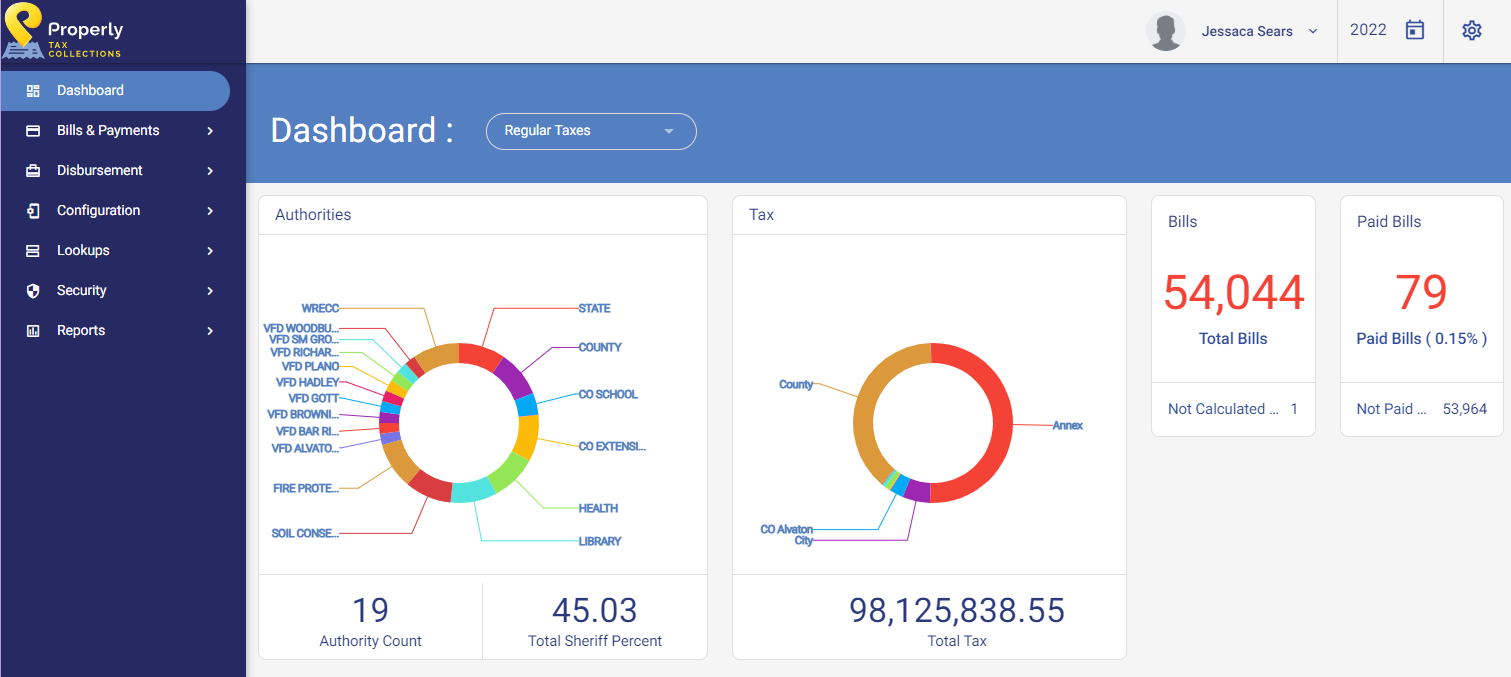
The Dashboard screen is the first screen to appear once a user has logged into Properly Tax Collection.
| This section will define the following screen: | |
|---|---|
|
|
| User Profile | This section displays the current user logged into Properly Tax Collection. The drop-down list will display an option for opening the user profile an option to log out of Properly Tax Collection. |
| Tax Year | This section displays the current tax year in which the user is working. By clicking on the Calendar icon, the user may switch between financial years. |
| Settings | This icon will allow the user to change color themes and time zones. |
| Authorities | This graphic displays each authority within a tax cycle, the total number of authorities, and the total Sheriff percentage. |
| Tax | This graphic displays districts within a tax cycle and the total tax amount for the tax cycle. |
| Bills | This graphic displays the total number of bills for the tax cycle. |
| Paid Bills | This graphic displays the number and percentage of paid bills as bills are paid. As payments are processed, this number and percentage will change. |